Event Lifecycle
Move deliberately through Draft, Live, Suspended, Closed, or Cancelled states.

EVENTS
SecureCare manages the event lifecycle from private draft through public sale, staff and volunteer scheduling, ticket scanning, refunds, and reconciliation — on the same platform as the rest of your mission.
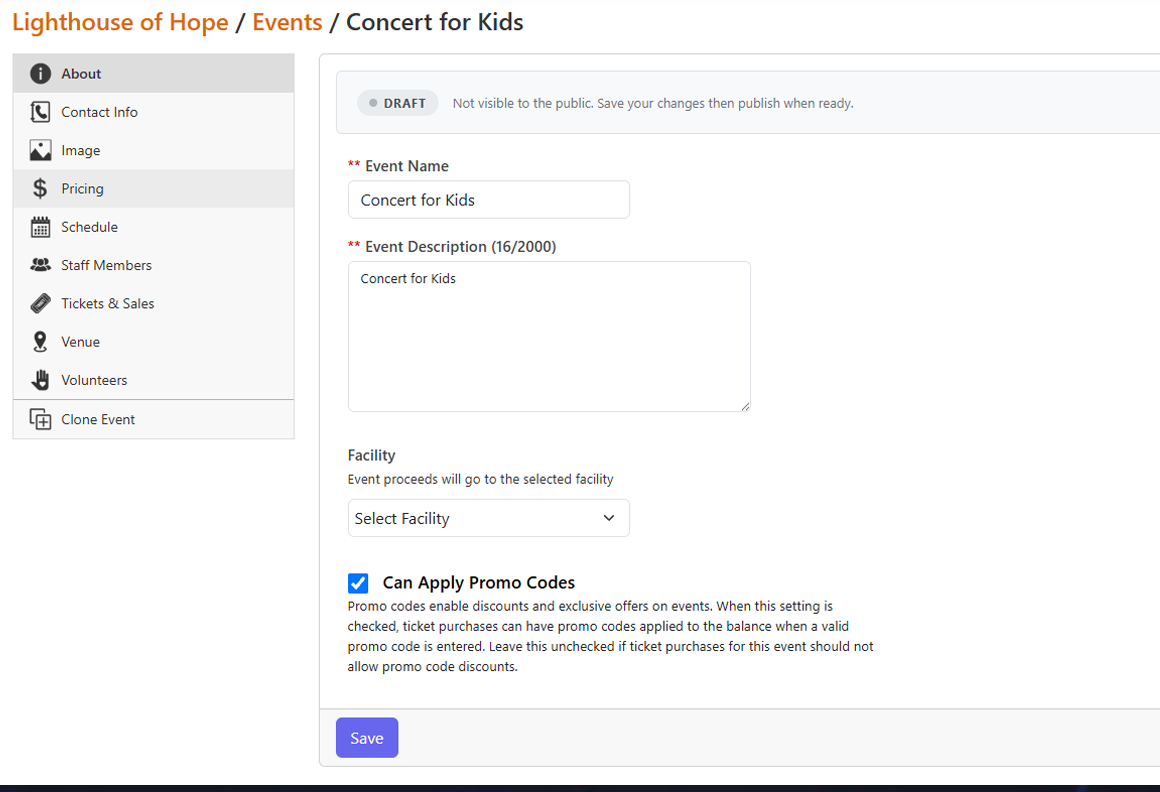
Move deliberately through Draft, Live, Suspended, Closed, or Cancelled states.
Use multiple ticket tiers, date-windowed override pricing, private allocations, and multi-seat tickets.
Assign staff and volunteers to specific schedule slots with separate arrival and departure windows.
Validate tickets from a smartphone browser and record each redemption in the audit trail.
Promo codes, refunds, event proceeds, and settlements stay connected to SecureCare’s accounting layer.
HOW IT WORKS
SecureCare separates the event time from staff and volunteer assignment windows, supports schedule-specific scan authority, and keeps ticket use tied to a complete operational and financial record.
Configure the event before it becomes public.
Open ticket sales with the correct tier and date-window pricing.
Schedule staff and volunteers to the exact event slot they will cover.
Validate tickets and individual seats at the door from a smartphone.
Handle changes, refunds, attendance history, and event revenue after the event.
A CLOSER LOOK
SecureCare separates the event time from staff and volunteer assignment windows, supports schedule-specific scan authority, and keeps ticket use tied to a complete operational and financial record.
KEY CAPABILITIES
Control public visibility and sales with explicit event states.
Configure distinct admission levels and seat counts.
Schedule early-bird, presale, or other time-window pricing.
Reserve ticket prices for internal or non-public use.
Maintain event, staff, and volunteer time windows separately.
Tie staff and volunteers to individual event schedules.
Use browser-based scanning without separate hardware or app licensing.
Redeem tables, couples passes, or group tickets one seat at a time.
Keep refunds and event proceeds tied to the platform ledger.
CONNECTED ACROSS SECURECARE
Run the event, understand the attendance, and reconcile the money without leaving the platform.
PEOPLE. PURPOSE. POSSIBILITIES.